An estimated 75% of restaurants worldwide now use QR codes for digital menus, and that number continues to climb. From contactless ordering and instant menu updates to scan-to-pay checkout, QR codes have become the backbone of modern restaurant operations. Whether you run a single cafe or manage a multi-location chain, implementing restaurant QR codes is no longer a nice-to-have -- it is a competitive necessity that can cut costs, boost revenue, and deliver a smoother dining experience for every guest.
In this guide, you will learn exactly how to use QR codes across every stage of the restaurant experience -- from digital menus and tableside ordering to payments, loyalty programs, and review generation. We will cover real-world statistics, step-by-step setup, design best practices, and marketing strategies that turn a simple scan into measurable business growth.

The restaurant industry's embrace of QR codes accelerated during the pandemic, but the technology has evolved far beyond a temporary safety measure. By 2026, 57% of companies are increasing their QR code investments, and the food service sector is leading the charge.
Several factors are driving this momentum:
The shift is clear: industry experts say digitization is no longer optional for restaurants that want to remain competitive in 2026 and beyond. QR codes sit at the center of this digital transformation, connecting the physical dining experience with powerful digital capabilities.
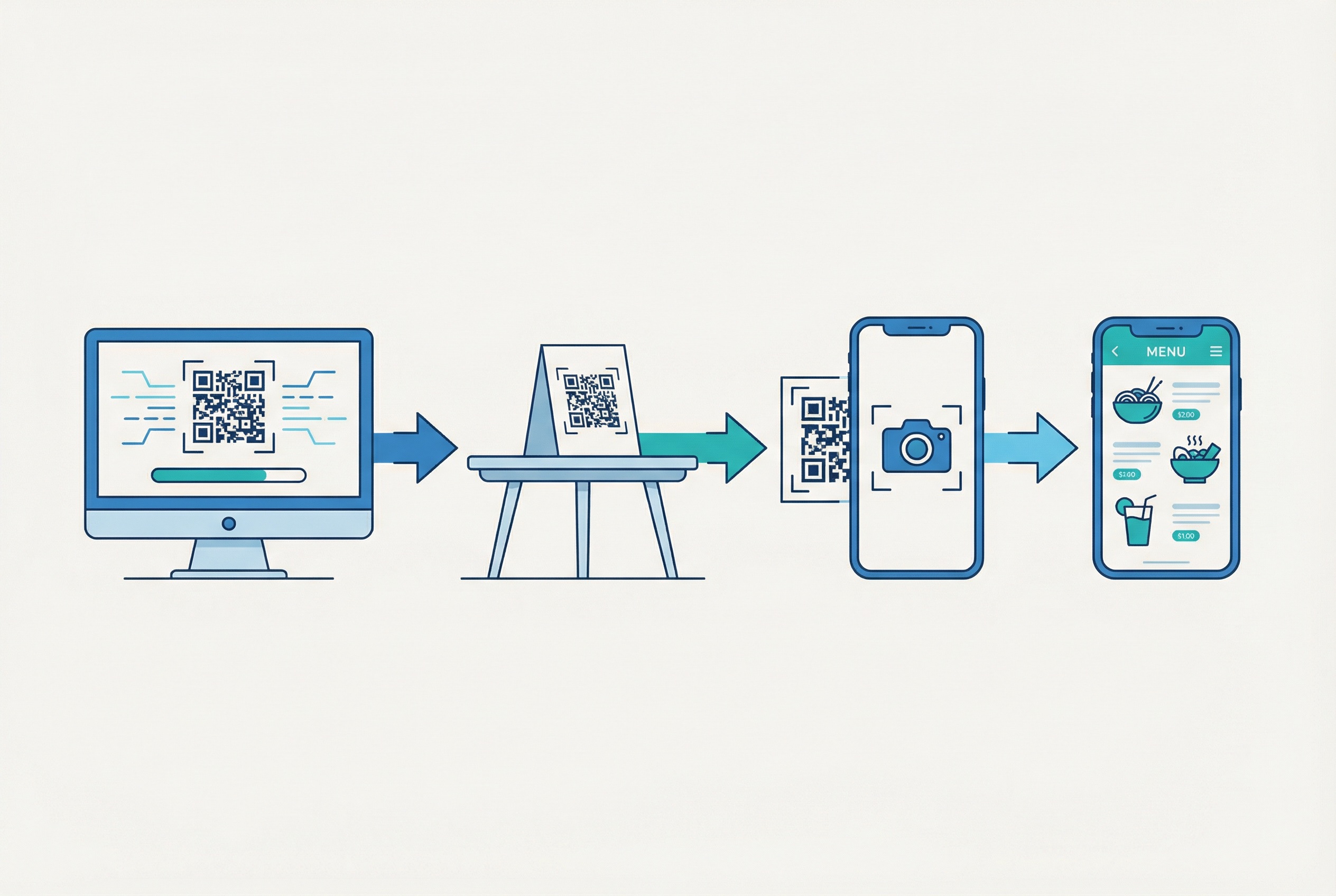
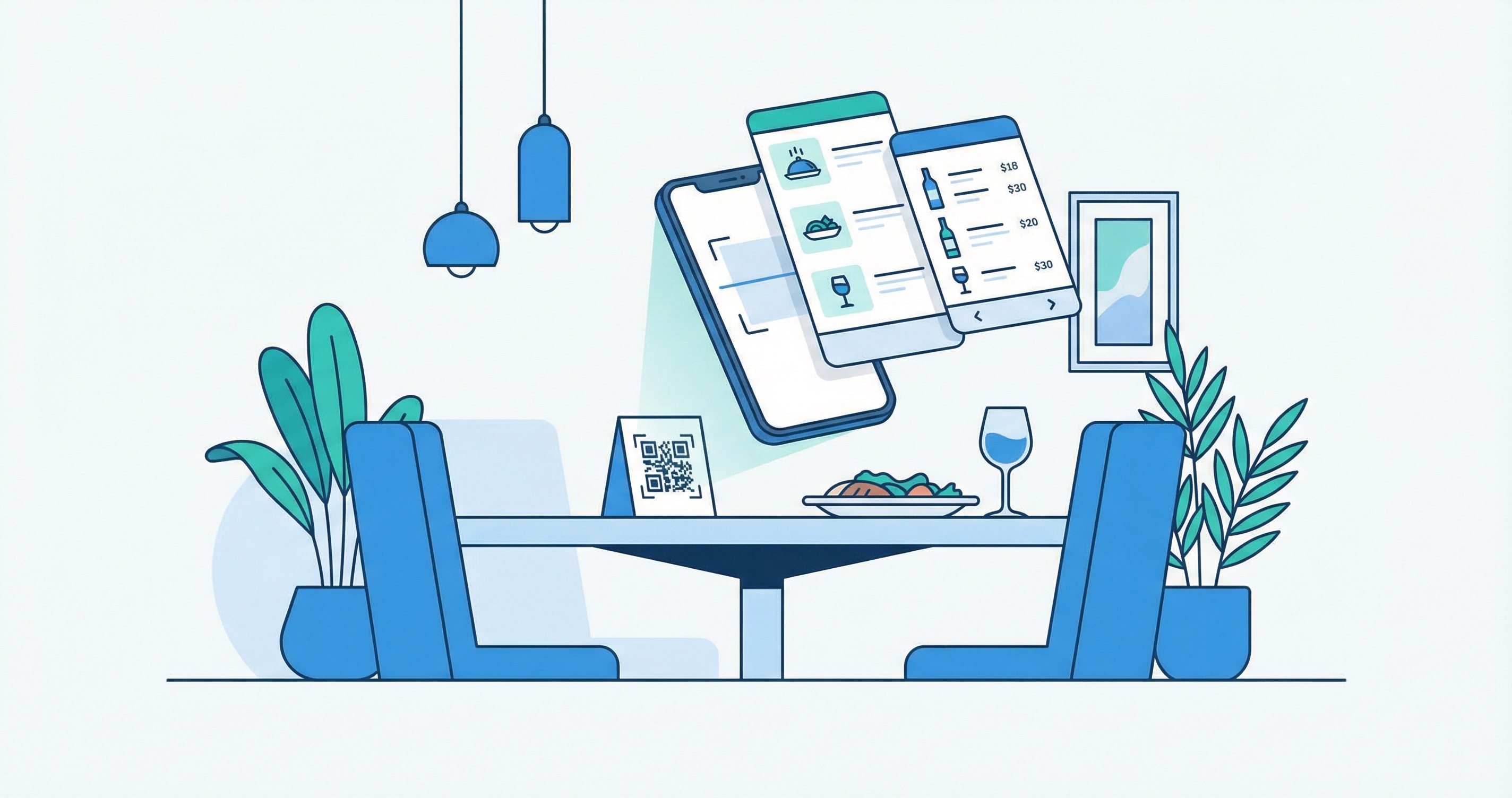
A QR code menu replaces the traditional paper menu with a scannable code that links directly to a mobile-optimized digital menu. The process is straightforward:
The key advantage of using dynamic QR codes over static ones is that the menu content can be updated instantly -- change prices, add seasonal specials, or remove sold-out items -- all without reprinting a single code. This is a critical distinction that every restaurant owner should understand before implementation.

QR code menus deliver benefits that impact every aspect of restaurant operations, from the kitchen to the bottom line.
Printing physical menus is expensive, especially for restaurants that update their offerings seasonally or run daily specials. A single menu redesign and print run can cost hundreds to thousands of dollars. With a dynamic QR code menu, updates are instant and free -- you change the digital menu, and every QR code on every table automatically reflects the new content.
QR code ordering systems reduce the time servers spend taking orders, allowing them to serve more tables and focus on guest experience. Orders go directly from the customer's phone to the kitchen display, reducing miscommunication and errors. According to Hospitality Technology, this streamlined process improves table turnover rates and increases average order value.
Run out of a dish at 7 PM? Update your digital menu in seconds. Launching a weekend brunch special? Add it Friday afternoon without touching a single printed menu. This agility is impossible with traditional paper menus and gives restaurants the flexibility to respond to inventory, demand, and trends in real time.
Digital menus can include high-quality food photography, detailed descriptions, allergen and nutritional information, and multi-language support. Guests can browse at their own pace without feeling rushed by a server. For hospitality businesses serving international clientele, multi-language QR menus are a game-changer.
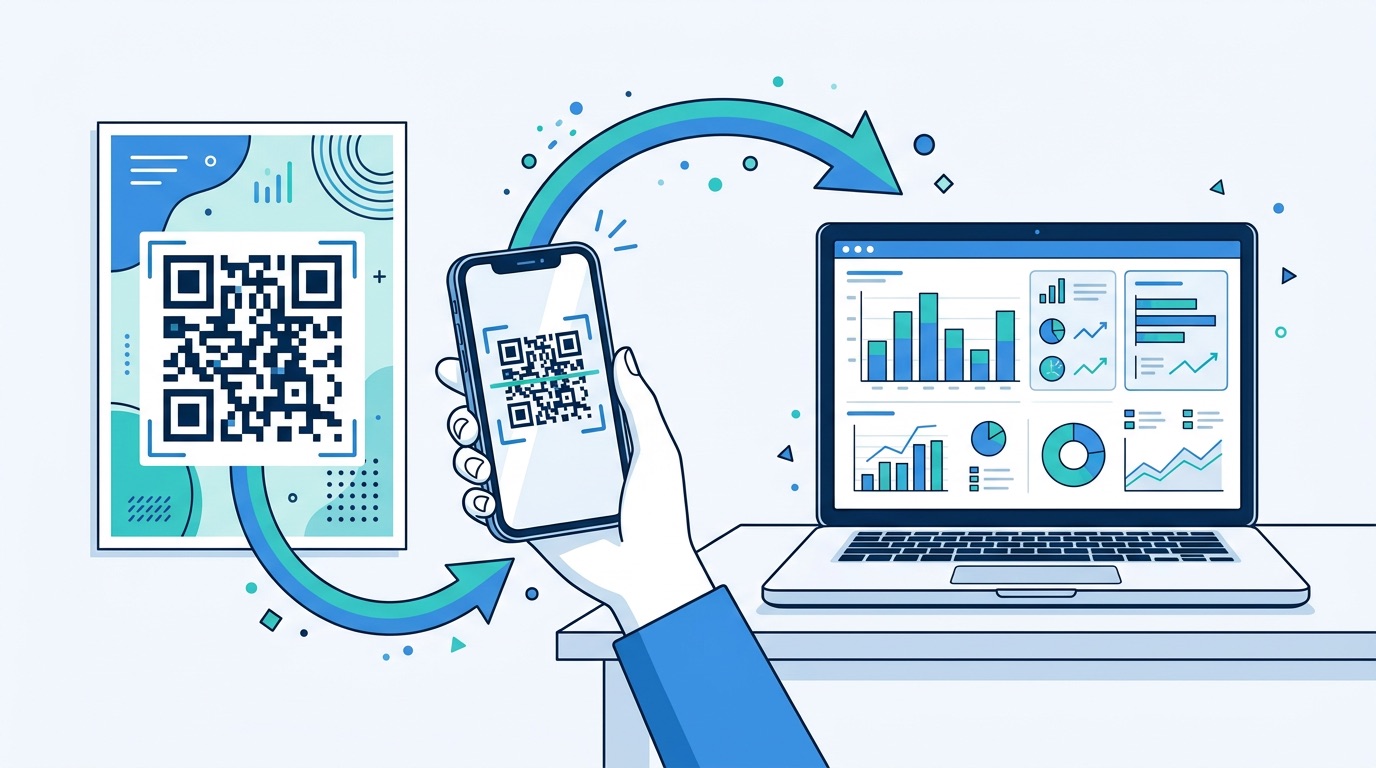
Every scan generates data. With QR code tracking and analytics, restaurants can see which menu items get the most views, what times of day generate the most scans, and which table locations drive the highest engagement. This data fuels smarter menu design, pricing decisions, and promotional strategies.
Implementing QR code menus does not require a massive technology investment. Here is how to get started:
Select a platform that supports dynamic QR codes with scan analytics. Supercode offers dynamic codes, custom design tools, real-time tracking, and bulk generation -- everything a restaurant needs. Supercode starts free with every feature included — and pays for itself after eliminating a single menu print run.
Design a mobile-optimized menu page with large, easy-to-tap sections, high-quality images, and clear pricing. Ensure the page loads fast -- diners will not wait more than a few seconds. Include allergen labels, calorie counts, and portion sizes where relevant.
Create a URL QR code linked to your menu page. Use dynamic codes so you can update the destination URL or menu content at any time without reprinting. If you have multiple locations, create separate QR codes for each to track performance by location.
Brand your QR code with your restaurant's colors, logo, and a custom frame with a call-to-action like "Scan for Menu." A well-designed QR code increases scan rates and reinforces your brand identity. Supercode's design tools make this easy with templates, color pickers, and logo upload options.
Follow QR code printing best practices: ensure a minimum size of 2 x 2 cm for table-distance scanning, use high-contrast colors, and print on materials that resist spills and wear. Popular placements include table tents, menu stands, window stickers, receipt holders, and digital displays near the entrance.
Test every QR code with multiple devices and in different lighting conditions before going live. Verify that the menu loads quickly, displays correctly on various screen sizes, and that all links and ordering functions work smoothly.
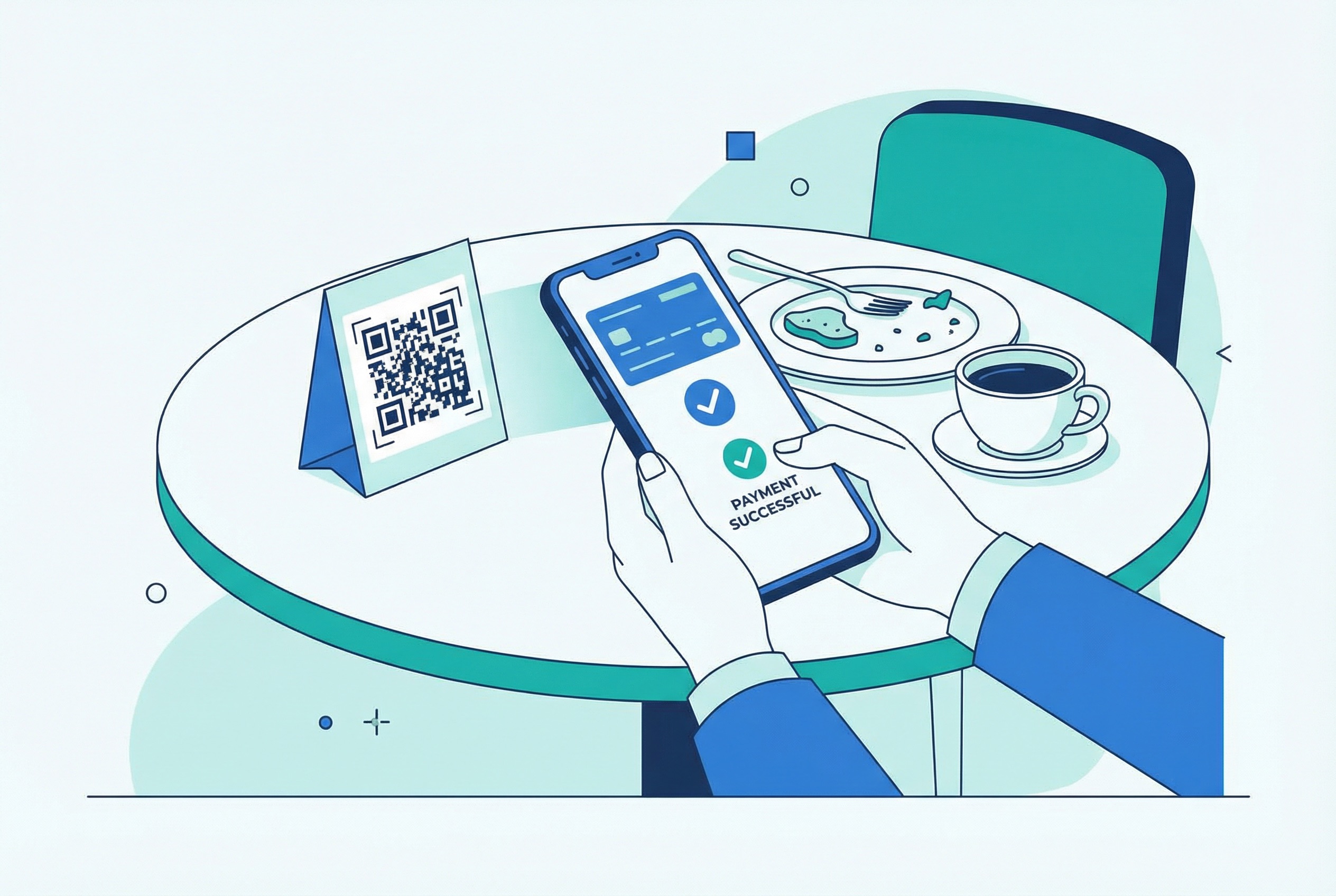
QR code menus are just the beginning. The real power comes when you extend the QR code experience to include ordering and payment -- creating a fully contactless dining flow.
With scan-to-order systems, guests browse the menu, select items, customize their order, and submit it directly from their phone. The order flows straight to the kitchen display system, bypassing the traditional server-takes-order step. This approach reduces wait times by up to 30%, minimizes order errors, and lets guests order additional items (another round of drinks, a dessert) without flagging down a server.
QR code payment systems allow guests to view their bill, split it with other diners, add a tip, and pay -- all from their phone. Integrations with Apple Pay, Google Pay, and credit card processors make the checkout seamless. According to G2 research, 61% of consumers already engage with QR-powered transactions, signaling strong readiness for scan-to-pay in restaurants.
When you combine QR code menus, ordering, and payments, you create a complete self-service dining experience. Guests scan a single QR code on arrival and handle their entire visit from their phone. This reduces the operational burden on staff, speeds up service during peak hours, and gives guests full control over their pace -- a feature that consistently ranks high in restaurant customer satisfaction surveys.

A generic black-and-white QR code is a missed branding opportunity. Custom-designed QR codes increase scan rates and create a cohesive visual experience that reinforces your restaurant's identity.
Use your restaurant's primary colors for the QR code pattern and background. Add your logo to the center of the code -- modern error correction technology ensures the code remains scannable even with a logo overlay. Supercode's custom design tools let you adjust colors, add logos, and preview scannability in real time.
Add a frame around your QR code with clear text like "Scan for Menu," "Order Here," or "Pay Your Bill." This small addition significantly boosts scan rates by telling guests exactly what to expect. Supercode offers dozens of pre-built frame templates designed for restaurant use cases.
Consider creating different QR code designs for different placements. A table tent QR code might feature your logo prominently, while a window display QR code might use a larger size with bolder colors for scanning from a distance. Match the design to the context for maximum effectiveness.

Beyond menus and ordering, QR codes are powerful marketing tools that can drive loyalty, generate reviews, and increase repeat visits.
Replace punch cards with a QR code loyalty system. Guests scan a code after each visit or purchase, and rewards are tracked digitally. This eliminates lost cards, provides data on visit frequency, and enables personalized offers. Research shows that 61% of consumers engage with QR-powered loyalty programs.
Place a feedback QR code on table tents, receipts, or checkout screens that links directly to your Google Business review page. One restaurant chain achieved a 458% increase in Google reviews -- jumping from 12 to 67 reviews per month -- simply by adding QR codes to table tents. More reviews mean higher local search rankings and increased trust with new customers.
Use social media QR codes to encourage guests to follow your restaurant on Instagram, TikTok, or Facebook. Place them on takeaway bags, receipts, or coasters. A single scan connects the diner to your social presence, turning a one-time visit into an ongoing relationship.
Create time-limited QR codes for seasonal promotions, happy hour specials, or exclusive discounts for dine-in guests. Dynamic QR codes let you swap the destination -- use the same printed code for different campaigns throughout the year. This is where QR code lead generation strategies become especially valuable for building your email list and driving repeat business.
Hosting a wine tasting, live music night, or holiday prix fixe? Print QR codes on flyers and brochures that link to the event RSVP page. Use bulk QR codes to create unique codes for each flyer, allowing you to track which distribution channels generate the most signups.
One of the greatest advantages of QR codes over traditional restaurant marketing is measurability. Every scan is a data point.
Supercode's analytics dashboard provides all of these metrics in real time, giving restaurant managers the insights they need to optimize placement, design, and campaigns. According to McKinsey research, personalized digital experiences powered by data like this can lift restaurant revenues by 5-15% and make marketing spend 10-30% more efficient.
To calculate QR code ROI for your restaurant, consider these factors:
For most restaurants, a Supercode subscription pays for itself within the first month through printing savings alone -- before accounting for the revenue uplift from better data, faster service, and stronger customer relationships.
Even restaurants that embrace QR codes can undermine their effectiveness with avoidable mistakes.
QR code technology for restaurants is evolving rapidly. Here is what forward-thinking restaurant operators should watch for:
Restaurants that adopt QR codes now and build their digital infrastructure will be best positioned to leverage these emerging capabilities as they mature.
A QR code menu system costs nothing upfront with Supercode's free plan, which includes every feature — dynamic codes, custom design tools, and scan analytics. The main cost is creating your digital menu page, which can range from free (using your existing website) to a few hundred dollars for a custom-built solution.
Consumer preferences vary. While 59% of smartphone users scan QR codes daily and familiarity is high, some studies show that a segment of diners still prefer paper menus. The best approach is to offer both: QR codes as the primary option with a few physical menus available on request.
Yes, if you use dynamic QR codes. Dynamic QR codes allow you to change the linked content at any time -- update prices, add specials, remove sold-out items -- without generating or printing a new code. This is one of the most important features for restaurant use.
QR code analytics platforms like Supercode provide real-time dashboards showing scan counts, locations, times, and devices for each code. Create unique codes for each table, location, or campaign to get granular performance data.
Yes, when implemented correctly. QR code payments use the same encrypted payment processing as traditional credit card terminals. Ensure you use a reputable payment processor, implement HTTPS on all landing pages, and follow the QR code security best practices to protect both your business and your guests.
For table-distance scanning (approximately 30-50 cm), a minimum QR code size of 2 x 2 cm is recommended. For window displays or entrance signage viewed from further away, increase the size proportionally. Refer to our complete printing guide for detailed sizing recommendations.
Absolutely. Print QR codes on takeaway packaging, delivery bags, and receipts to link customers to your reorder page, loyalty program, or feedback form. This turns a one-time delivery customer into a repeat visitor.
QR codes have transformed from a pandemic stopgap into an essential part of the modern restaurant toolkit. They cut costs, streamline operations, deliver actionable data, and create marketing opportunities that paper menus never could. The restaurants seeing the best results are those that go beyond basic menus -- extending QR codes to ordering, payments, loyalty programs, and review generation for a comprehensive digital dining experience.
Ready to get started? Create your first restaurant QR code with Supercode in minutes. With dynamic codes, custom branding, real-time analytics, and a free plan that includes every feature — upgrade only when you need more scan volume, you will have everything you need to bring your restaurant into the digital age.