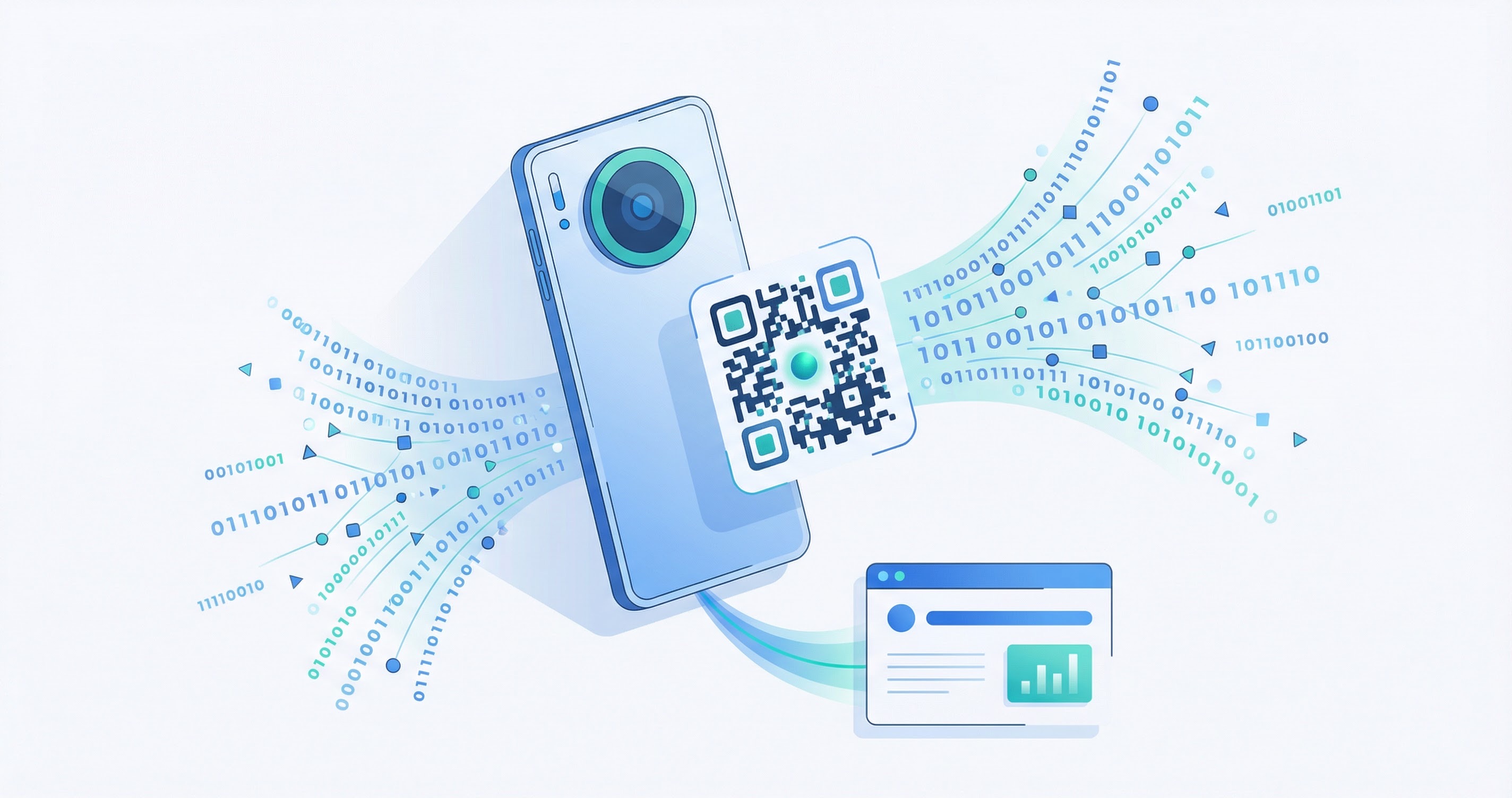
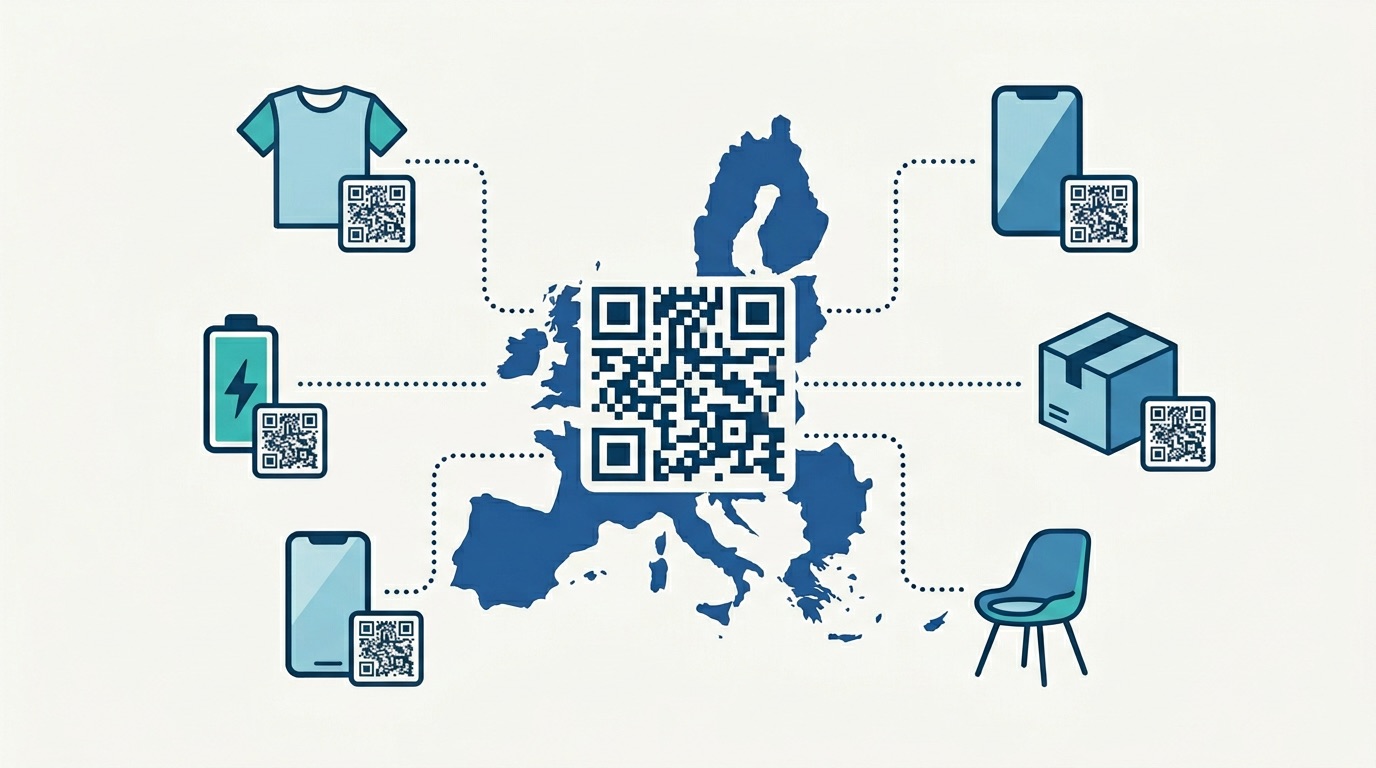
In 2026, more than 2.2 billion people scan QR codes every month — nearly 29% of every smartphone user on the planet. QR codes appear on restaurant tables, product packaging, event tickets, doctor's offices, billboard ads, and clothing tags. Yet most people have no idea what actually happens in the fraction of a second between pointing their camera at those black-and-white squares and landing on a webpage. This guide answers that question in full.
Whether you are a marketer curious about the technology behind your campaigns, a business owner deciding between static and dynamic QR codes, or simply someone who wants to understand how a tiny square can carry so much information, this complete technical guide breaks down every layer — from encoding and error correction to the scanning process and real-world applications.
A QR code (Quick Response code) is a two-dimensional matrix barcode that stores data as a pattern of black modules on a white background. It was invented in 1994 by Masahiro Hara at Denso Wave, a Toyota subsidiary that needed a faster way to track car parts on the assembly line. The "Quick Response" name reflects its core design goal: to be decoded at high speed, far faster than a traditional one-dimensional barcode.
Unlike a standard barcode, which encodes data horizontally in a single row of lines, a QR code encodes data both horizontally and vertically across a 2D grid. This two-dimensional approach is why a QR code can store hundreds of times more data than a barcode — up to 7,089 numeric characters or 4,296 alphanumeric characters in a single code.
For a deeper exploration of QR code history and its evolution from barcode technology, see our guide on QR codes vs barcodes and our full post on what a QR code is.
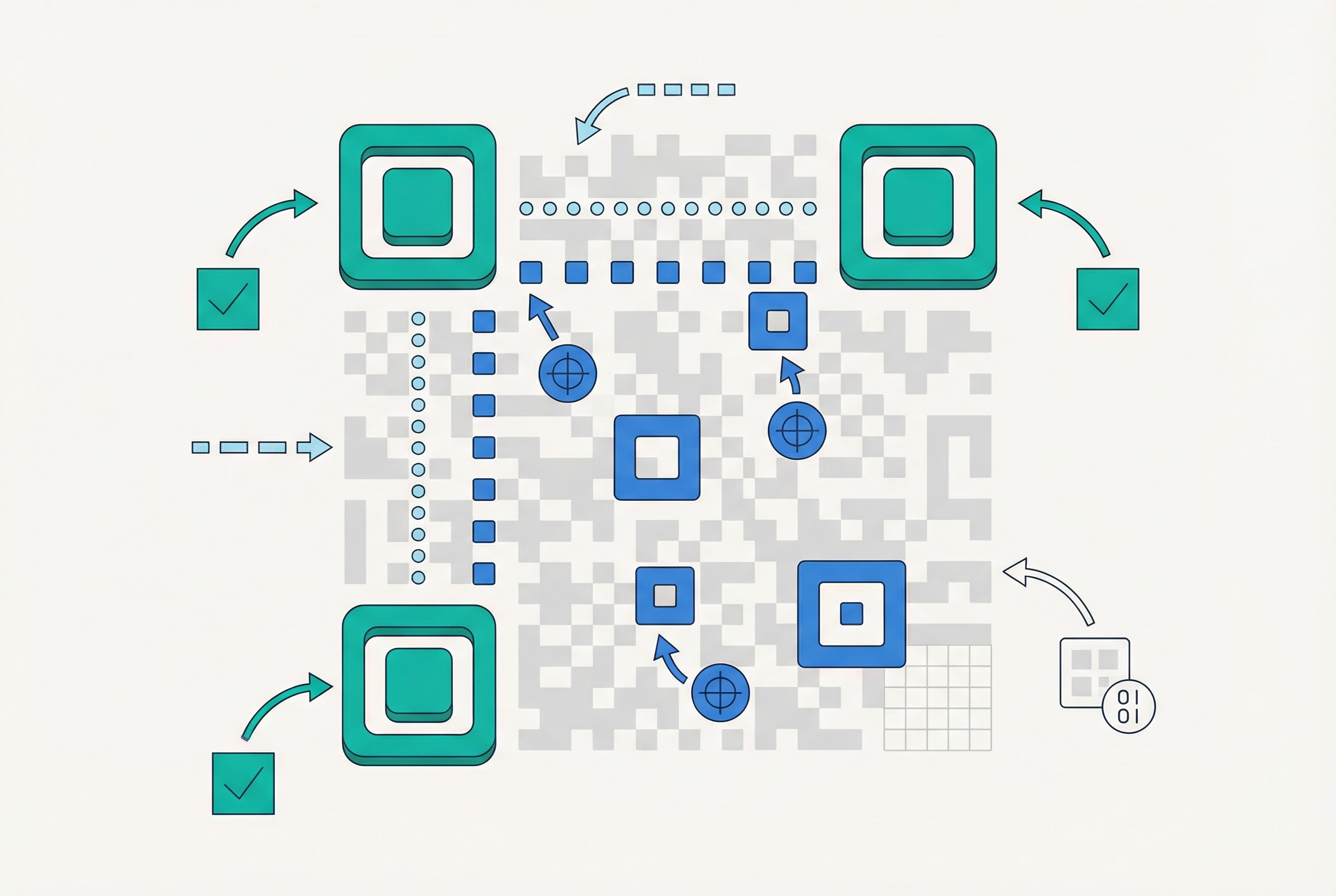
Before understanding how a QR code works, you need to understand what it is made of. A standard QR code contains several precisely defined zones, each serving a specific function in enabling fast, reliable scanning.
The three identical square patterns in the top-left, top-right, and bottom-left corners are called finder patterns. Each is a 7×7 module square with alternating dark and light rings. Their job is to tell the scanner where the QR code begins and ends, regardless of the angle at which the code is held. Because there are exactly three — never four — a scanner can instantly orient itself and determine the code's rotation.
Smaller square patterns scattered through the body of the code are alignment patterns. They appear in QR codes version 2 and above, and their positions are defined by the QR code standard. The larger and more complex the code (higher version), the more alignment patterns it contains. Their purpose is to help the scanner correct for image distortion — for example, if a code is printed on a curved surface like a cup or bottle.
Thin alternating black-and-white stripes running horizontally and vertically between the finder patterns are called timing patterns. They form a grid reference that allows the scanner to calculate the exact dimensions of the code's modules, even if the printed code is slightly stretched or scaled unevenly.
Stored in two copies adjacent to the finder patterns, the format information strip encodes two critical settings: the error correction level and the mask pattern used. The scanner reads this before anything else to know how to decode the rest of the code.
The bulk of the QR code's surface is the data region, which stores both the encoded payload and the redundant error correction codewords. These are interleaved to maximise damage tolerance. The data is laid out in a serpentine (zigzag) pattern across the grid, reading upward in two-module-wide columns from the bottom-right corner.
Surrounding the entire code is the quiet zone — a mandatory blank white border at least four modules wide on all sides. It acts as visual padding, preventing adjacent text or images from being misread as part of the code. If you print a QR code without a sufficient quiet zone, it will fail to scan reliably. This is one of the most common QR code printing mistakes businesses make.
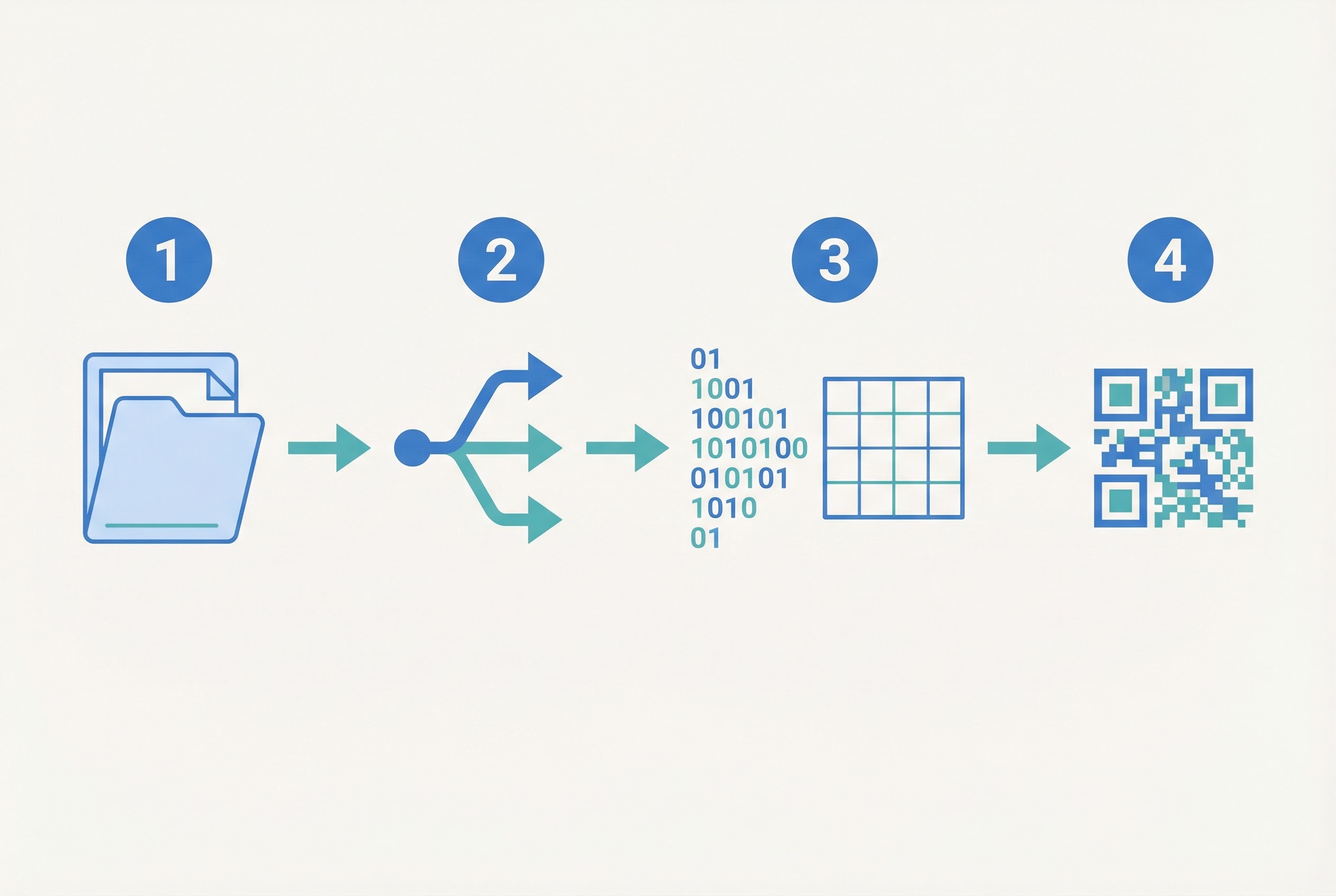
Data encoding is the process of transforming your input — a URL, a phone number, a block of text — into the binary patterns of black and white modules that make up the QR code's data region. The QR standard (ISO/IEC 18004) defines four encoding modes, each optimised for a different type of data:
A QR code generator like Supercode analyses your input and selects the most efficient encoding mode automatically — or combines multiple modes within a single code to minimise its size. A URL like https://supercode.com uses byte mode for the https:// prefix and alphanumeric mode for the rest.
Here is what happens when you enter a URL into a QR code generator:

One of the most powerful — and least understood — features of QR code technology is its ability to scan successfully even when a significant portion of the code is obscured, dirty, torn, or overprinted with a logo. This is thanks to Reed-Solomon error correction, a mathematical algorithm originally developed for deep-space communications in 1960 and now used in everything from CDs and DVDs to satellite transmissions.
When the QR code is generated, the encoder calculates a set of error correction codewords derived from the data codewords using polynomial mathematics. These redundant codewords are stored alongside the data in the code's matrix. When the scanner reads a damaged code, it uses those codewords to detect and reconstruct any corrupted or missing data.
According to the Reed-Solomon specification, the algorithm can correct any combination of up to t symbol errors when t redundant symbols have been added. In practice for QR codes, this means:
The trade-off is size: higher error correction levels add more redundant codewords, which increases the code's version (physical size). When you create a QR code with Supercode, you can choose the error correction level that matches your use case — or use the smart default. For codes printed on product packaging or outdoor posters, Level Q or H is strongly recommended.
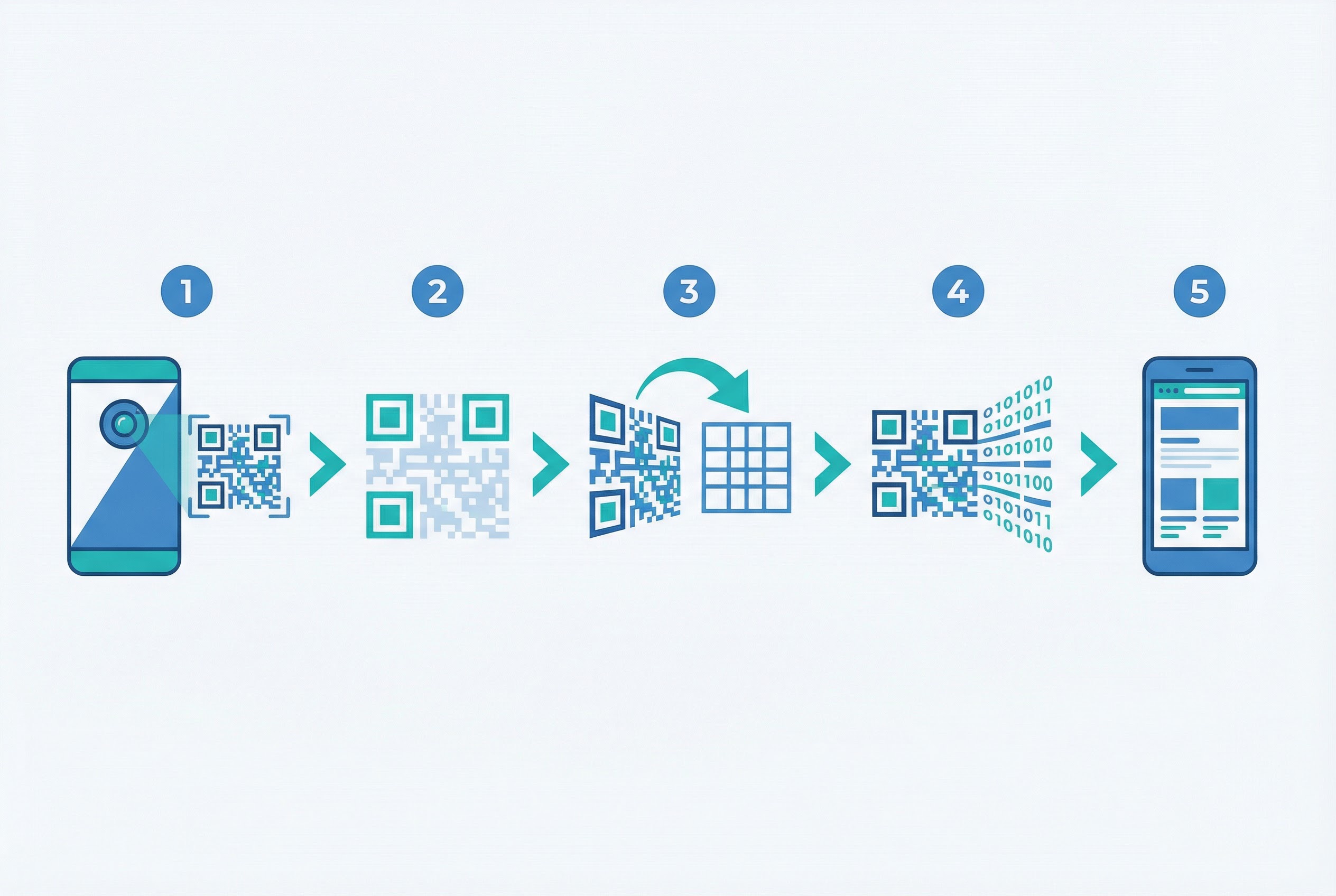
The modern smartphone scanning experience feels instantaneous — you point your camera, and within a fraction of a second, a notification or webpage appears. Behind that instant lies a precise multi-step decoding process. Here is what happens:
The phone's camera captures a frame containing the QR code. The scanning software (built into iOS since version 11 and Android natively, plus third-party apps) converts the image to grayscale and then to pure black and white using a thresholding algorithm. This step removes lighting variations and shadows to create a clean binary image.
The decoder scans the binarised image looking for the characteristic 1:1:3:1:1 dark-to-light module ratio that identifies a finder pattern. When it locates all three finder patterns, it calculates the code's position, orientation, and approximate size. This step works even if the code is rotated 360 degrees — the three-corner structure has no ambiguous orientation.
Using the finder and alignment patterns as reference points, the decoder applies a perspective transformation to "flatten" the code. It then samples the centre of each module on the calculated grid to determine whether each module is dark (1) or light (0). This is the step where alignment patterns are most valuable — they allow the decoder to handle codes printed on curved surfaces or scanned at oblique angles.
Before decoding data, the scanner reads the format information strips to identify the error correction level and mask pattern. It XORs the mask pattern away from the data region to restore the original encoded bits.
The unmasked binary stream is read from the data region following the serpentine pattern. The decoder identifies the encoding mode from the first mode indicator bits, then extracts the data codewords character by character.
Reed-Solomon decoding is applied to the data codewords. Any errors introduced by damage, dirt, or scanning angle are detected and corrected. If the damage exceeds the error correction capacity, the scan fails — but with Level H correction, the code can sustain damage to nearly a third of its surface area and still decode.
The decoded string is interpreted by the phone. If it begins with https://, the phone opens the URL in a browser. If it is a mailto: or tel: URI, the appropriate app is launched. For a vCard QR code, the contact is offered for saving. The entire process — from camera capture to app action — typically takes under 300 milliseconds on a modern smartphone.
The QR standard defines 40 versions, each with a progressively larger grid and greater data capacity. Version 1 is a 21×21 module grid (the smallest possible code); Version 40 is a 177×177 grid. With each version, the code gains four modules on each side.
Version determines capacity, and capacity depends on both version and error correction level. Here are some practical examples:
https://supercode.com/pricing.In practice, most URL QR codes use Version 3–7, keeping the code compact and easy to scan. The QR code printing guide explains how code version affects minimum print size — larger versions require more physical space to remain scannable.
According to linkscan.org's 2025 QR Code Statistics, marketing scans have grown 323% between 2021 and 2024, driven largely by the simplicity of short, dynamic QR codes that keep the encoded URL minimal.
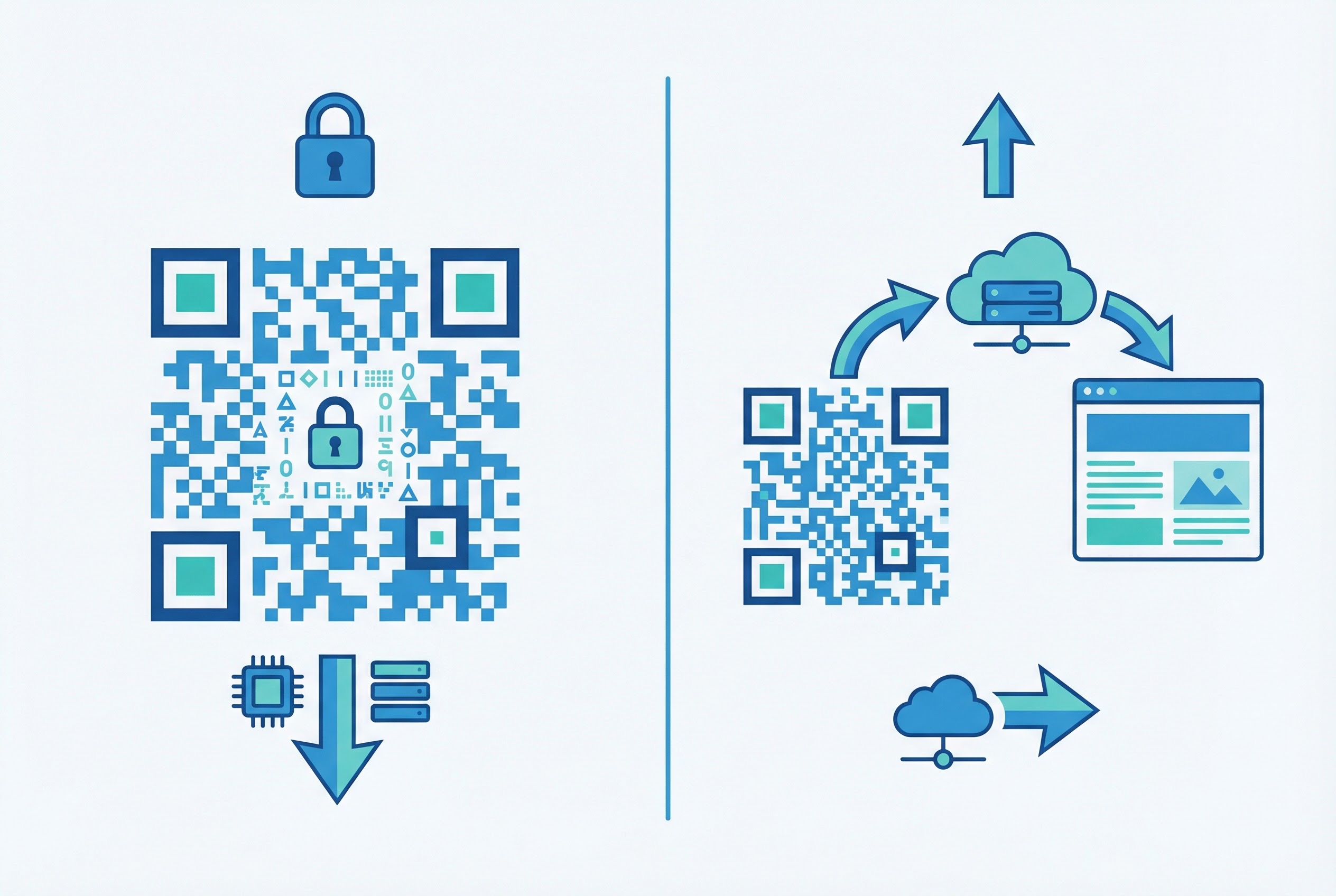
One of the most important distinctions in QR code technology — and the one with the biggest implications for business users — is the difference between static and dynamic codes. The difference is not in the QR code standard itself (both follow the same encoding rules) but in what gets encoded.
In a static QR code, the destination data is encoded directly into the code's matrix. The URL, text, phone number, or vCard information is baked in permanently. Because the data is embedded at creation time, a static QR code:
Static codes are best for permanent, low-volume applications: vCard QR codes encoding contact details, plain text QR codes for simple messages, or Wi-Fi login codes where the network password never changes.
In a dynamic QR code, what gets encoded is a short redirect URL hosted on the QR code generator's infrastructure — not the final destination. When a user scans the code, their phone opens the short URL, which immediately redirects them to the actual destination. This means:
Dynamic codes are the standard for professional and commercial use. QR Insights' 2025 State of QR Codes report found that 95% of businesses report valuable first-party data collection through dynamic QR code analytics — data that would be entirely invisible with static codes.
Supercode's QR code tracking dashboard provides real-time analytics on every scan, including geographic distribution, device types, and time-of-day patterns. This makes dynamic codes an essential tool for measuring campaign ROI. Learn more about choosing between the two in our dedicated dynamic vs static QR codes guide.
Understanding how QR codes work makes it easier to see why they have become indispensable across virtually every industry. According to Statista, approximately 100 million US consumers now scan QR codes regularly — a 240% increase since 2020. Here are the sectors driving that growth:
The most visible QR code use case of the 2020s. More than 52% of US restaurants use QR codes for menus, ordering, and payment. The technology eliminates printing costs for menus that change seasonally or daily, reduces contact for hygiene, and enables upselling through rich digital menu experiences. Explore how QR codes are transforming the restaurant industry.
Retailers embed URL QR codes on product packaging to link customers to instructional videos, warranty registration, sustainability data, and loyalty programs — all without adding text to a crowded label. The European Union's Digital Product Passport regulation is accelerating this trend by requiring QR codes on certain product categories for supply chain transparency.
In healthcare settings, QR codes are used for patient identification wristbands, medication authentication, and rapid access to digital health records. The high error correction tolerance of QR codes makes them suitable for medical environments where partial damage or contamination is common.
QR codes bridge the gap between physical and digital marketing. Printed on posters, direct mail, magazine ads, and event signage, they turn passive audiences into measurable digital engagements. Feedback QR codes collect customer reviews at the point of experience; PDF QR codes deliver brochures without printing costs. Our QR code statistics guide documents the latest growth data across these channels.
Event organisers use QR codes for ticketing, badge scanning, session check-ins, and speaker material distribution. A single event QR code can replace printed agendas, feedback forms, and lead capture cards simultaneously.
Dynamic QR codes with expiry times and single-use limits are used for two-factor authentication, time-limited access passes, and anti-counterfeiting on luxury goods. The dynamic redirect infrastructure means the destination (authentication endpoint) can be rotated or invalidated server-side with no changes to the printed code. For a full breakdown of QR code security risks and best practices, see our QR code safety guide.
Now that you understand the technical foundation, creating your own QR code with Supercode is straightforward. The platform handles all encoding, version selection, error correction, and masking automatically — you simply configure what matters for your use case.
For bulk QR code generation — creating hundreds or thousands of unique codes from a CSV file — Supercode's bulk generator handles the entire process in minutes. Review Supercode's pricing — every feature on every plan, choose the scan volume for your needs.
Static QR codes can be decoded entirely offline — the data is in the code itself. Dynamic QR codes require an internet connection because the phone must follow the short redirect URL to reach the final destination. Once the redirect has loaded, the destination page may or may not require connectivity.
The most common causes are: insufficient quiet zone around the code, damage exceeding the error correction capacity, low contrast (e.g. a light-coloured code on a white background), the code printed too small for the scanning distance, or camera auto-focus unable to lock at very close range. Refer to our complete QR code printing guide for resolution and size requirements.
At maximum capacity (Version 40, Level L), a QR code holds 7,089 numeric digits, 4,296 alphanumeric characters, 2,953 bytes of binary data, or 1,817 Kanji characters. In practice, most business QR codes encode a short URL (20–60 characters), keeping them compact and fast to scan.
Yes. QR codes apply one of eight mask patterns to the data region to ensure an even distribution of dark and light modules. Different mask choices, along with different error correction levels, can produce visually different codes that decode to identical data. Custom QR codes (with colours, logos, or shaped dots) look dramatically different from standard black-and-white codes but encode data identically.
The QR code pattern itself never expires — it is a permanent encoding of data. However, dynamic QR codes depend on the redirect service remaining active. If the service hosting the short URL shuts down or the subscription lapses, the redirect fails even though the code still encodes data correctly. Static QR codes linking directly to a URL can also break if the destination website goes offline.
QR codes themselves are a neutral encoding technology — they cannot execute code on your device. The risk lies in where they direct you. Malicious actors sometimes paste fraudulent QR codes over legitimate ones (a practice known as "quishing") to redirect users to phishing pages. Before scanning unfamiliar codes in public, check that the physical code has not been tampered with. For comprehensive guidance on safe scanning practices, read our QR code safety guide.
Barcodes are one-dimensional — they encode data in a single row of lines read horizontally. QR codes are two-dimensional — data is encoded across the entire surface of a square grid. This gives QR codes dramatically higher data capacity (7,089 vs ~20 characters), omnidirectional scanning, and built-in error correction that barcodes lack. For a full comparison, see our QR codes vs barcodes guide.
---
QR code technology combines decades of innovation in data encoding, error correction mathematics, and computer vision into a format any smartphone can decode in milliseconds. Understanding how the pieces fit together — from finder patterns and Reed-Solomon codewords to static vs dynamic redirect architectures — helps you make better decisions about how to create, deploy, and measure QR codes for your business.
Ready to put the technology to work? Create your first QR code with Supercode — free, with no design experience required. Explore Supercode's full feature set or view pricing — every feature on every plan, choose the scan volume for your campaigns.