In 2026, nearly 2.9 billion people will use QR codes in some form — from scanning a restaurant menu to completing a contactless payment or verifying a product's authenticity. Yet for many business professionals and marketers, the question still surfaces: what exactly is a QR code, how does it work, and how can I use one? This guide answers all of it — from the technology's origins in a Toyota factory floor to the dynamic, analytics-powered codes reshaping modern marketing campaigns.
A QR code — short for Quick Response code — is a two-dimensional matrix barcode that stores data as a pattern of black and white squares arranged on a grid. Unlike a traditional barcode, which can only be read horizontally, a QR code encodes information in both horizontal and vertical directions. This gives it a dramatically higher data capacity and the ability to be scanned from any angle.
When a smartphone camera or QR code reader scans the pattern, it instantly decodes the stored information — which could be a website URL, a Wi-Fi password, a contact card, a PDF document, or virtually any digital content. The "Quick Response" name reflects its original purpose: to be scanned in a fraction of a second, with no manual typing required.
QR codes are part of the broader family of 2D barcodes (also called matrix codes), which store data across two dimensions rather than just one. This distinction makes them fundamentally more capable than the UPC barcodes you see on supermarket packaging — which is precisely why they were invented.
The QR code was invented in 1994 by Masahiro Hara and his team at Denso Wave, a Japanese automotive supplier that is a subsidiary of Toyota. The problem they needed to solve was mundane but urgent: traditional barcodes could only hold about 20 characters and required precise single-axis alignment to scan. Toyota's assembly lines were using dozens of barcodes per vehicle part, creating significant production bottlenecks.
Hara — reportedly inspired by the game of Go and its grid of black and white stones — conceptualised a two-dimensional grid capable of storing over 7,000 characters and readable from any direction. The result was the QR code, which Denso Wave made freely available under a commitment to never enforce its patent, enabling global adoption.
The technology's spread happened in distinct waves:
Today the QR code market is valued at approximately USD 15.23 billion in 2026, projected to reach USD 33.14 billion by 2031 — a CAGR of 16.82%. What started as a manufacturing tool is now one of the most versatile marketing and data-transfer technologies in existence.
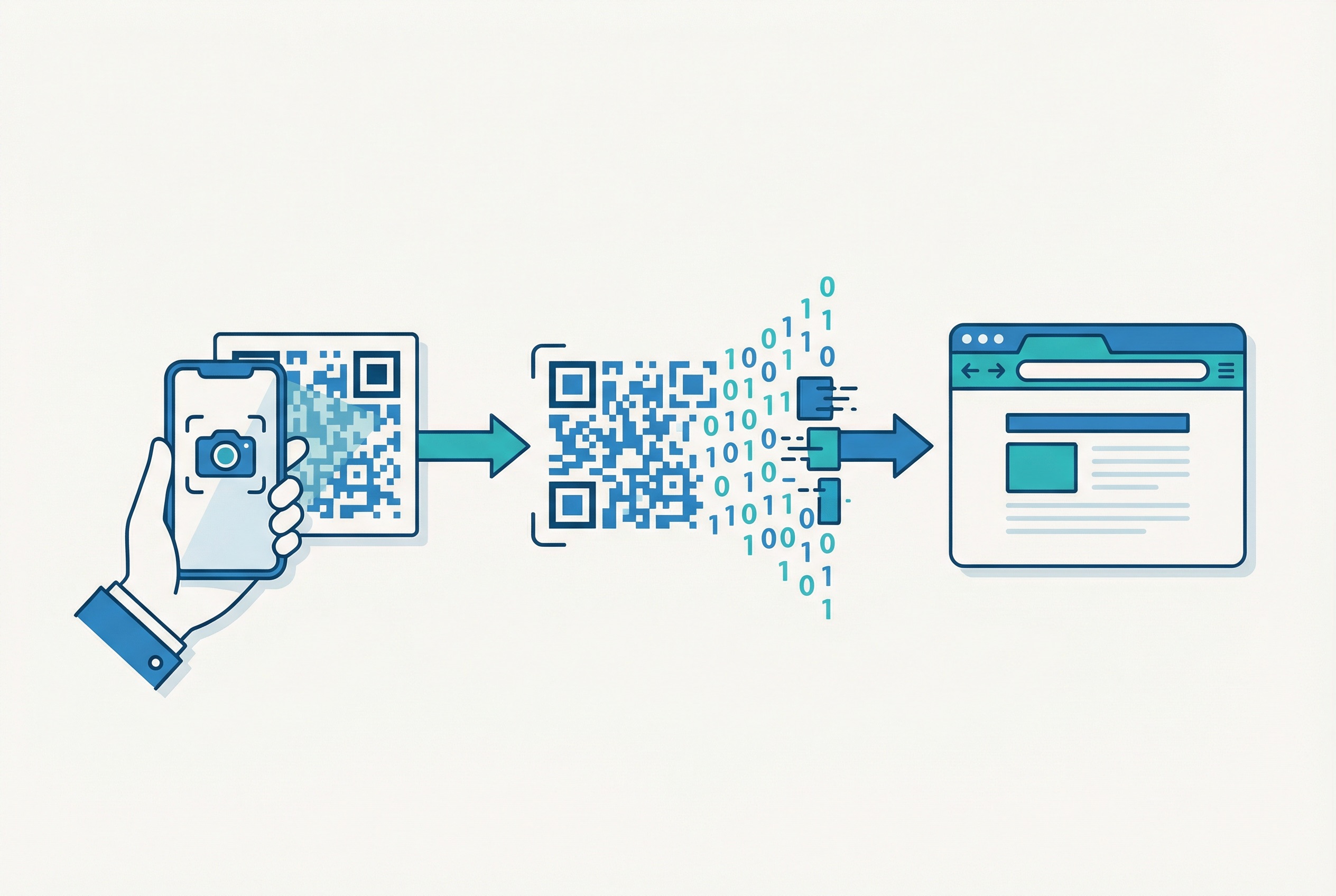
Understanding how a QR code actually functions helps you use it more effectively — and helps you spot why some QR codes fail while others convert at high rates. The process involves three distinct phases: encoding, detection, and decoding.
When you create a QR code, software converts your input data — a URL, plain text, Wi-Fi credentials, a vCard — into a binary representation. This data is then encoded using Reed-Solomon error correction, which adds redundant data to the code so it remains scannable even if up to 30% of the code is obscured, dirty, or damaged. This is why you can place a logo in the centre of a QR code without breaking it.
The encoded data is arranged into a matrix of black and white modules (the small squares). QR codes range from Version 1 (21 × 21 modules) to Version 40 (177 × 177 modules), with larger versions storing more data. A Version 40 code can hold up to 7,089 numeric characters or 4,296 alphanumeric characters.
When a camera points at a QR code, the scanner looks for three key structural features:
Once detected and oriented, the scanner reads the module pattern and translates it back into the original data. For a URL QR code, the phone automatically opens the browser to that address. For a vCard QR code, it prompts the user to save a contact. For Wi-Fi, it connects automatically. The whole process typically completes in under one second.
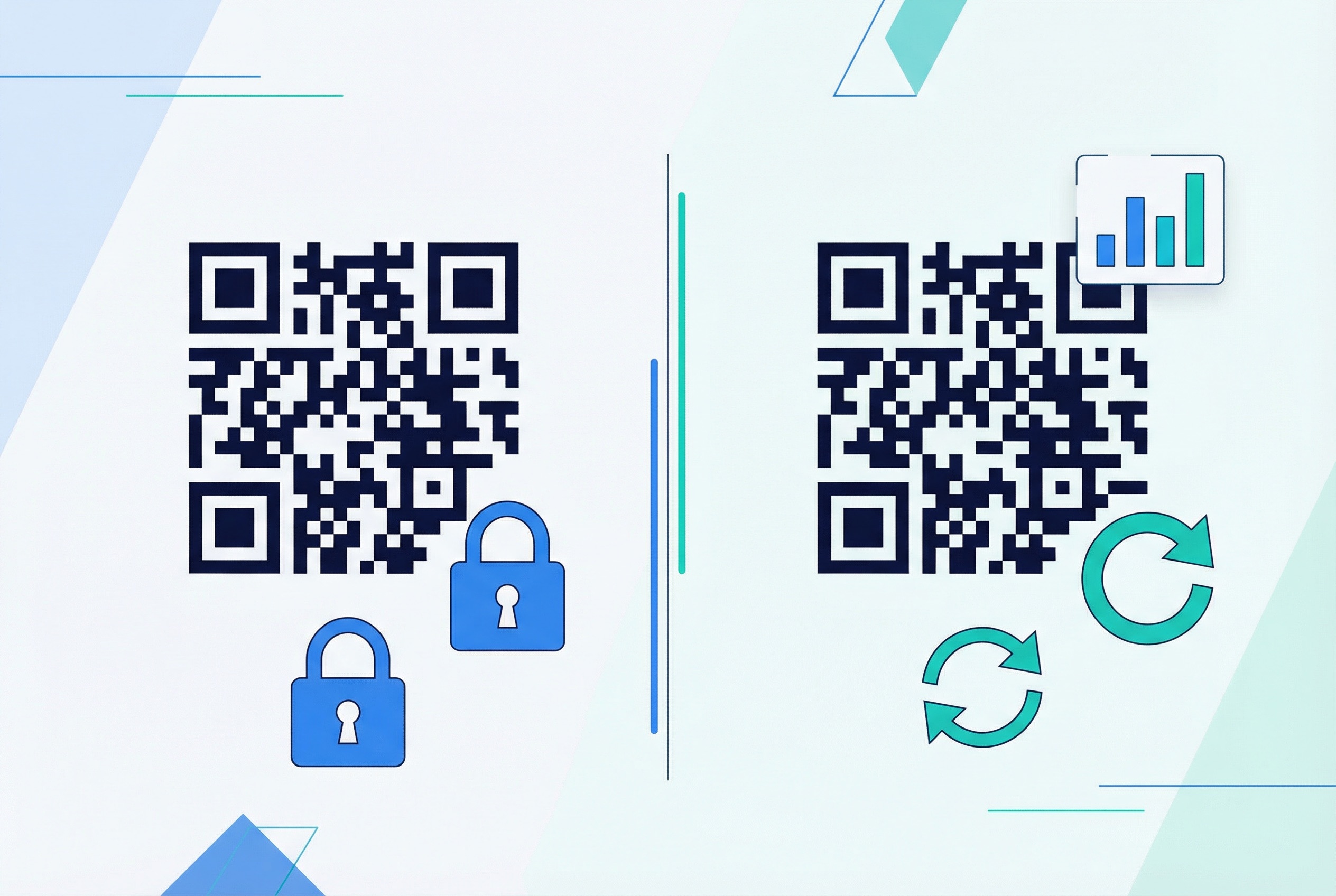
Not all QR codes are created equal. The most important distinction for business users is between static and dynamic QR codes — and choosing the wrong type can significantly limit your campaign's effectiveness.
A static QR code has its destination data permanently baked into the code pattern itself. Once generated, the code cannot be changed. If you print 10,000 business cards with a static QR code pointing to an old URL and that URL changes, every card is broken. Static codes are best suited for information that never changes — a Wi-Fi password that stays constant, plain text, or a permanent phone number.
A dynamic QR code stores only a short redirect URL in the code pattern. The actual destination is stored in your QR code platform, which means you can update the destination at any time — without reprinting the code. This single feature transforms QR codes from print-and-forget assets into living marketing channels.
Dynamic codes also unlock scan analytics: every scan records the timestamp, device type, operating system, city, and country. This data is invaluable for measuring campaign ROI and optimising performance. For a deep dive on the technical and strategic differences, see our Dynamic vs. Static QR Codes: The Definitive 2026 Guide.
For any professional or business use case, dynamic QR codes are almost always the right choice. Supercode's QR code generator supports full dynamic code creation with real-time destination editing and built-in analytics.
QR codes are often thought of as "URL scanners," but they can encode many different data types — each with a distinct purpose. Choosing the right type ensures a seamless experience for the people scanning your code.
The most common type. A URL QR code encodes a web address and instantly opens it in the user's browser. Used for landing pages, product pages, promotional campaigns, and any scenario where you want to bridge physical and digital content.
A vCard QR code encodes contact information — name, phone number, email, company, website — in a format that phones can instantly save as a contact. These are the backbone of modern QR code business cards.
Encodes your Wi-Fi network's SSID and password. Scanning the code automatically connects the device — no typing required. Widely used in hospitality, co-working spaces, and retail.
A PDF QR code links directly to a document hosted in the cloud — a product manual, restaurant menu, brochure, or catalog. The PDF is instantly viewable on mobile without downloads. Dynamic PDF codes let you update the document without reprinting the code.
These codes pre-populate an email, text message, or WhatsApp message with a pre-written subject and body, requiring only a single tap to send. Effective for feedback collection, support inquiries, and direct outreach.
A feedback QR code links to a survey or review form, making it easy to collect customer opinions at the point of experience — at a checkout counter, on packaging, or at an event.
For campaigns requiring thousands of unique codes — each pointing to a different URL or encoding unique data — bulk QR code generation automates the process via CSV import, saving hours of manual work.
Scanning a QR code requires no special app on modern smartphones. Here's how it works across major platforms:
For best scanning results, ensure your QR code has adequate contrast (dark code on a light background), a minimum quiet zone of 4 modules around the edges, and a print size that meets the minimum size requirements covered in our Complete QR Code Printing Guide.
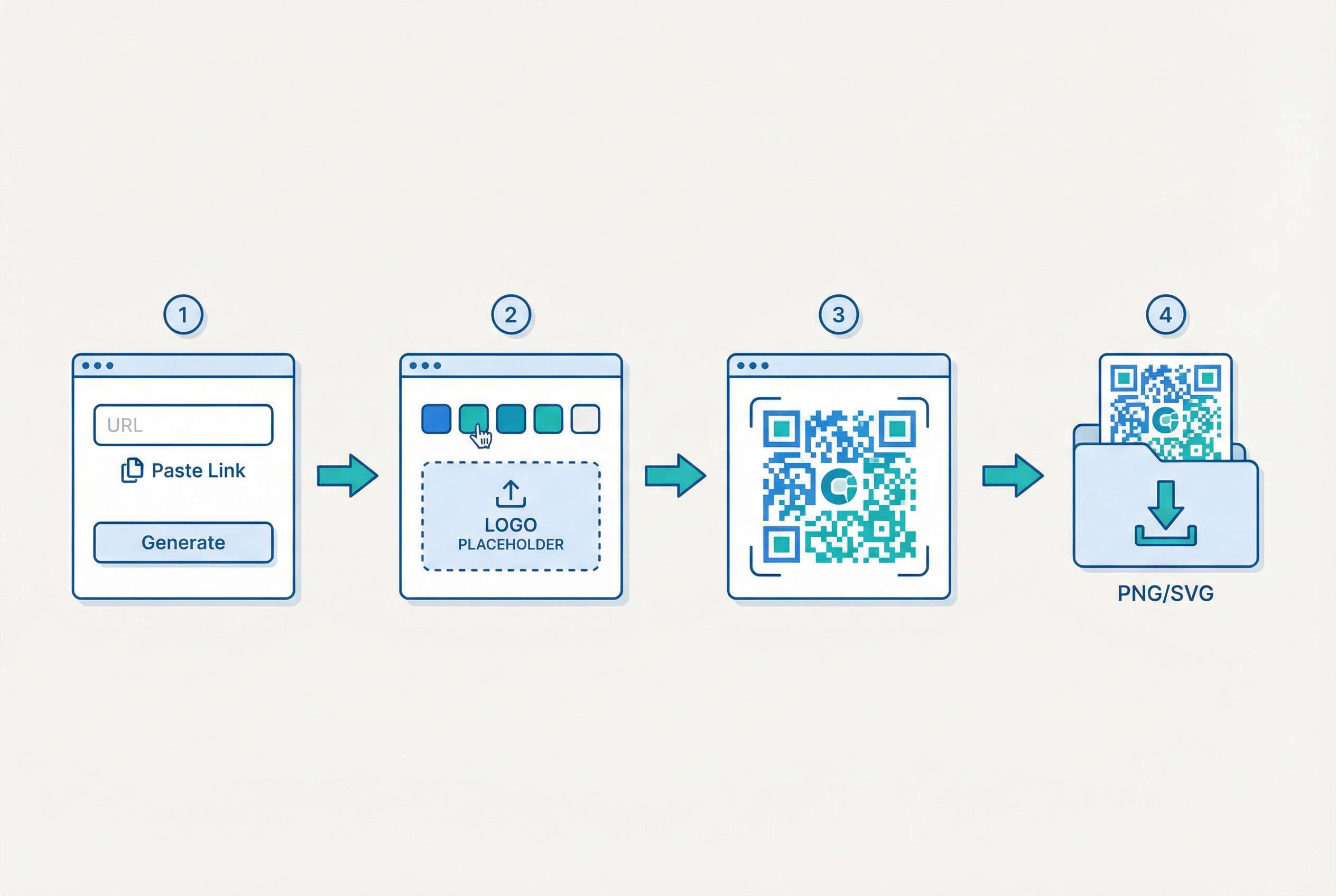
Creating a QR code has never been easier. With a professional QR code generator like Supercode, the process takes under two minutes:
For a step-by-step walkthrough with screenshots, see our Complete Step-by-Step Guide to Creating a QR Code. Supercode's platform includes every feature on every plan, including the free plan — see Supercode pricing to choose the scan volume that fits your campaigns. You can start creating dynamic QR codes immediately at app.supercode.com.

QR codes are now one of the most cross-industry technologies in use. According to Bitly's 2026 QR code research, the most common consumer scanning scenarios include restaurant menus (48%), product information (43%), mobile app downloads (47%), Wi-Fi access (32%), and event tickets (31%). Here's how different sectors are deploying them:
Contactless menus, table ordering, loyalty programmes, and payment confirmation are standard in modern dining. QR codes for restaurants reduce staff burden and accelerate table turnover. Hotels and resorts use QR codes for check-in, room service orders, and concierge guides — see our deep-dive on restaurant QR codes for full implementation details.
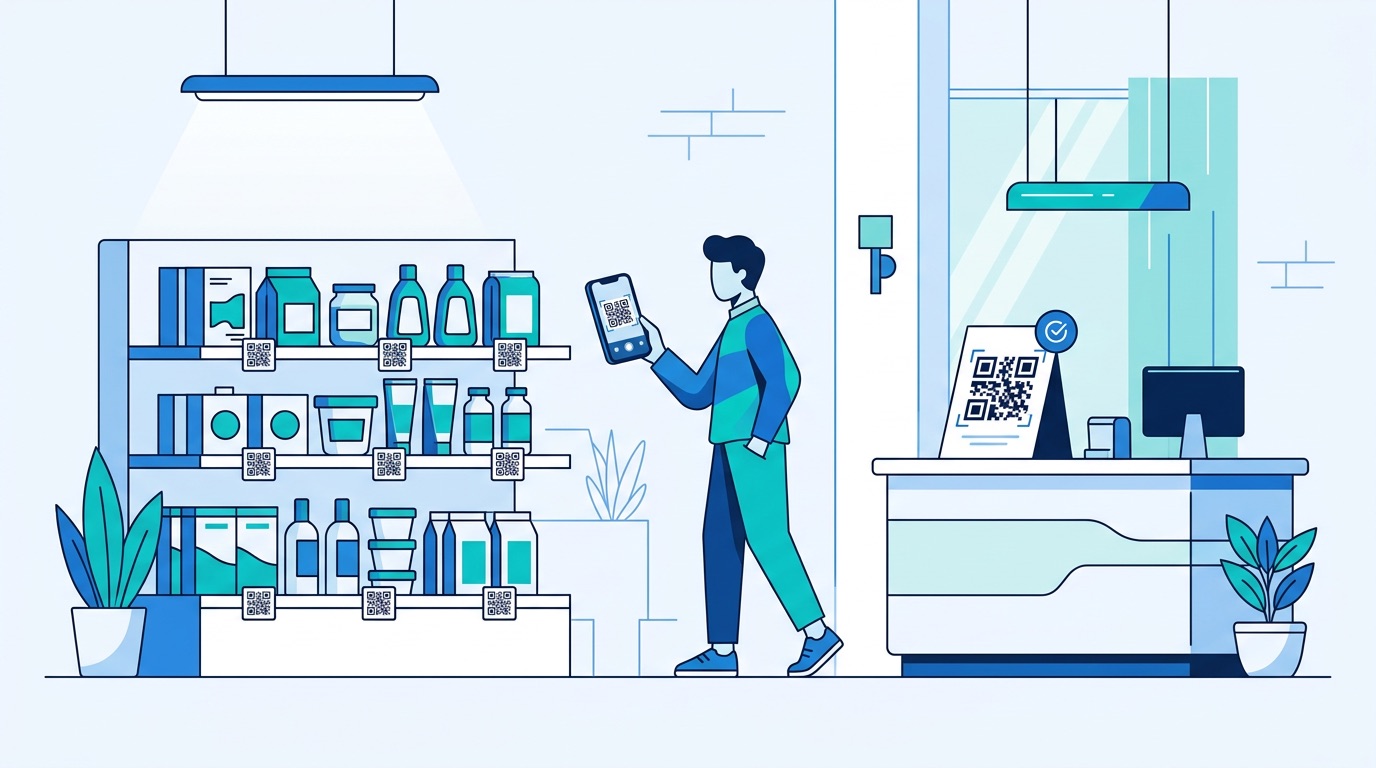
Physical retailers use QR codes to extend shelf space digitally — linking to product videos, detailed specifications, customer reviews, and related SKUs. QR codes in retail also power loyalty sign-ups and in-store promotions. Brands place them on product packaging to deliver ingredient information, provenance stories, and recycling instructions.
Hospitals and clinics use QR codes in healthcare for patient intake forms, wayfinding, medication instructions, and appointment confirmations. Contactless workflows are now a standard safety expectation in clinical environments.
From conference registration to session check-in and lead capture, QR codes streamline every touchpoint at events. Attendee badges with unique QR codes enable exhibitors to scan contacts in seconds.
Marketers embed QR codes on posters, print ads, direct mail, and outdoor billboards to measure offline campaign attribution precisely. Dynamic QR codes with UTM parameters feed scan data directly into marketing dashboards. For app marketers, QR codes on physical media drive app store downloads — read our guide on boosting app downloads with QR codes.
For the full range of industry applications, explore Supercode's industry use cases.

A common misconception is that QR codes must be plain black-and-white squares. In reality, QR codes are highly customisable — and well-designed codes consistently outperform generic ones in scan rates. Because Reed-Solomon error correction tolerates up to 30% data loss, you have significant creative latitude.
Key design elements you can customise:
All of these elements are available in Supercode's design tools. For print-specific guidance on sizing, resolution, and quiet zones, see our Complete QR Code Printing Guide.
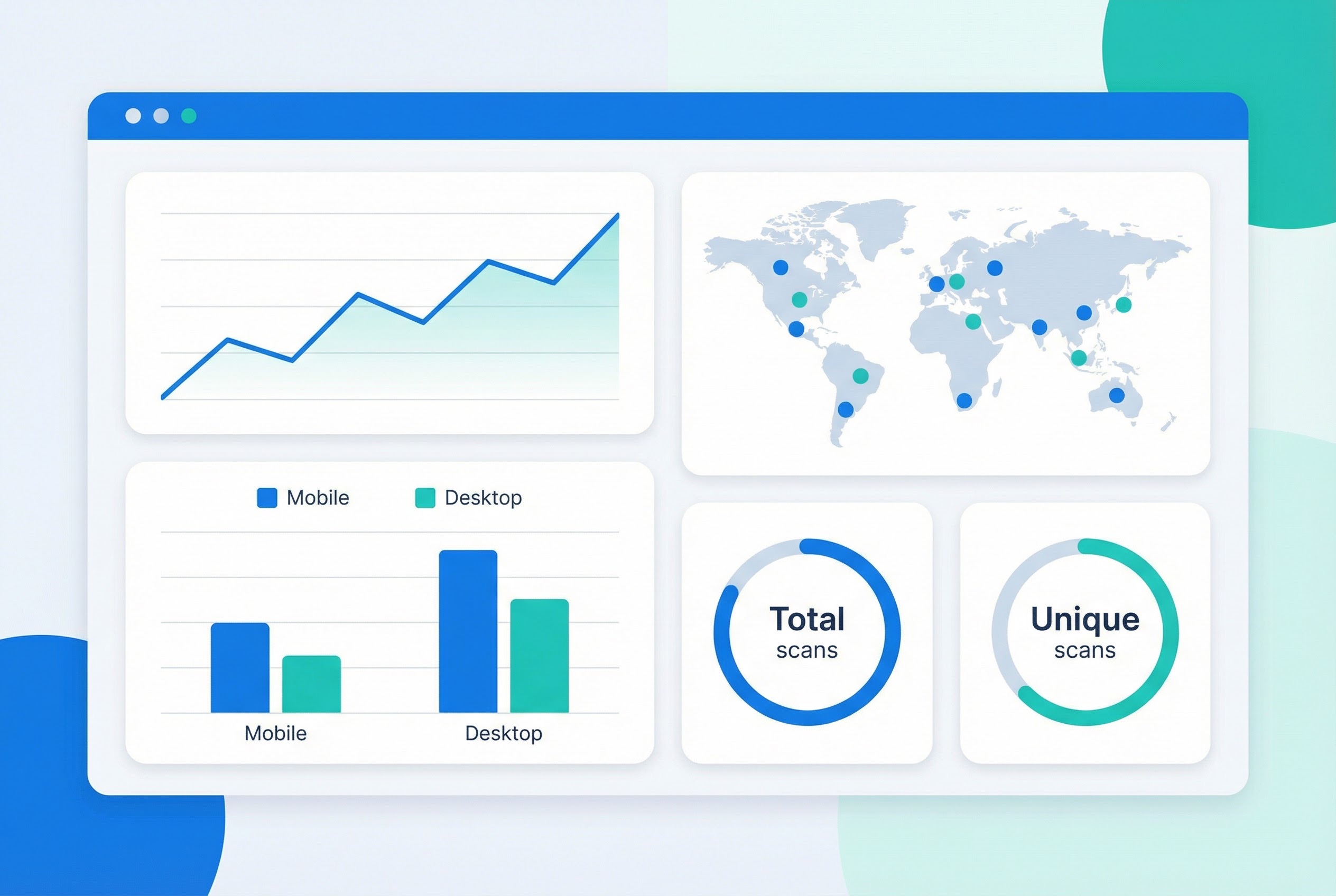
One of the most powerful — and underappreciated — capabilities of dynamic QR codes is built-in scan analytics. Every time someone scans a dynamic QR code, the platform records:
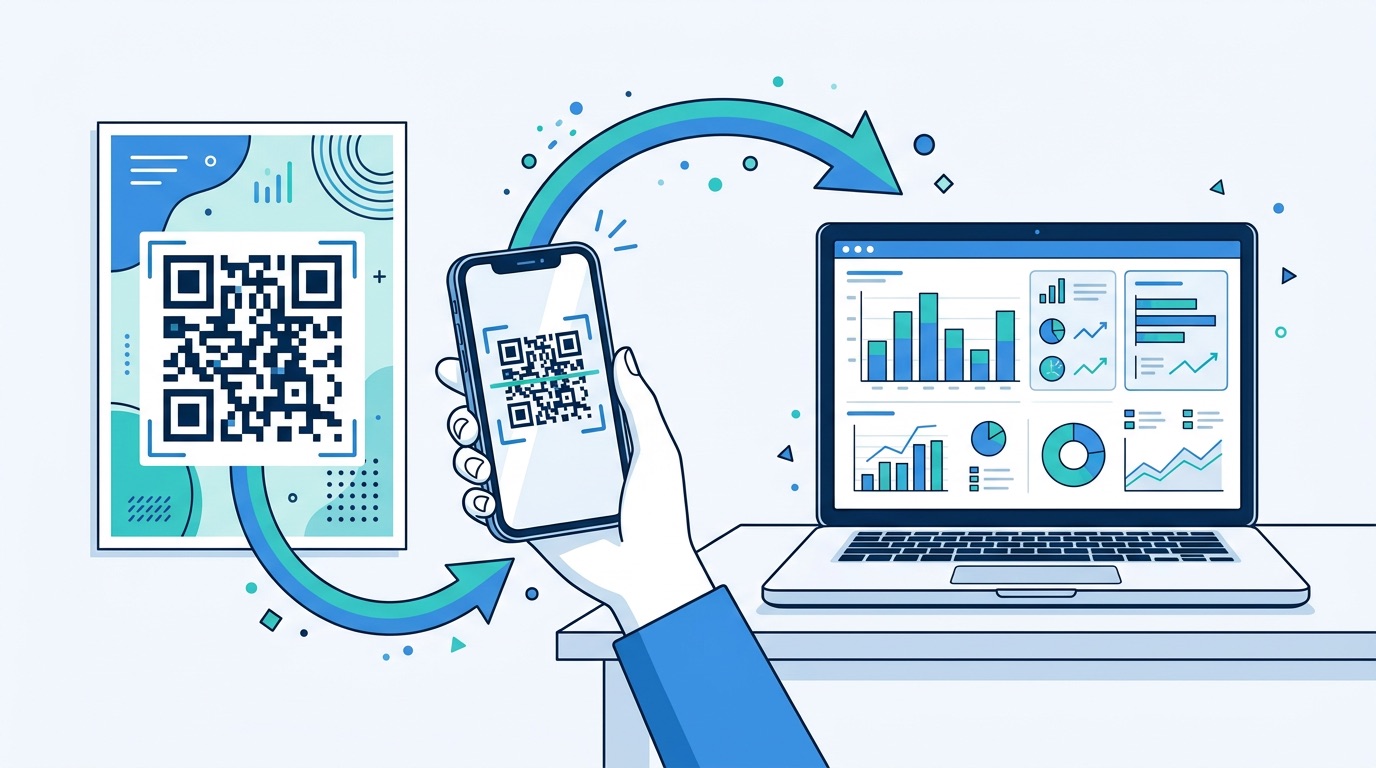
This data transforms QR codes from passive print elements into measurable marketing channels. You can run A/B tests across different creative executions, identify which physical locations drive the most scans, and attribute offline touchpoints to digital conversions with precision.
According to Bitly's research, 94% of marketers increased their QR code usage in 2025 — and the primary reason cited is the ability to tie physical marketing to measurable digital outcomes. For a full breakdown of QR code analytics capabilities and campaign measurement frameworks, see our QR Code Tracking and Analytics Guide. You can also explore QR Code Statistics 2026 for market-level data to benchmark your campaigns.
QR codes themselves are neutral technology — neither safe nor unsafe. The security concern is not the code itself but where the code leads. Malicious actors can create fake QR codes (a practice called "quishing" — QR code phishing) that redirect users to fraudulent websites designed to steal credentials or install malware.
Key safety practices for businesses deploying QR codes:
For consumers, always preview the URL before tapping, look for the HTTPS padlock, and be cautious scanning codes in unsolicited emails or unmarked public locations. Our dedicated QR Code Safety Guide: The Rise of Quishing covers the threat landscape and defensive measures in full.
QR stands for Quick Response. The name was chosen by the technology's inventor, Masahiro Hara at Denso Wave, to reflect the code's ability to be decoded extremely rapidly — in under a second — from any scanning angle.
Static QR codes never expire — the data is encoded permanently in the pattern. Dynamic QR codes are active as long as your subscription to the QR code platform is active. If you cancel your subscription or delete the code in your account, scans will no longer resolve. This is an important consideration when choosing a long-term QR code solution.
QR codes can encode text (including URLs, contact data, email addresses, phone numbers, SMS content, and Wi-Fi credentials), numeric data, binary data, and Kanji characters. In practice, most QR codes encode a short URL that then delivers the actual content (a PDF, a form, a video) — this is more flexible than encoding the content directly.
A Version 40 QR code (177 × 177 modules, the largest standard size) can hold up to 7,089 numeric characters, 4,296 alphanumeric characters, or 2,953 bytes of binary data. In practice, keeping URLs short and using dynamic codes is more effective than maximising data density, which increases module complexity and can reduce scan reliability.
A traditional barcode (1D barcode) encodes data in one dimension — horizontal lines of varying widths — and can hold roughly 20–25 characters. A QR code is a 2D barcode that encodes data both horizontally and vertically, storing up to hundreds of times more information. QR codes are also more damage-tolerant and scannable from any direction. For more, see our QR Codes vs. Barcodes comparison.
Yes — static QR codes can be generated for free with no subscription required. However, dynamic QR codes (editable destination, scan analytics, performance tracking) are included on every Supercode plan, including the free plan. Supercode's free plan includes every feature — unlimited dynamic codes, real-time analytics, and custom design tools. Upgrade only when you need more scan volume.
The minimum recommended QR code size for close-range scanning (within arm's reach) is 2 cm × 2 cm. For poster or signage use, scale the code proportionally — the standard rule is the scanning distance divided by 10 gives you the minimum code size. A code on a billboard designed for scanning from 30 metres away should be at least 3 metres across. Our QR Code Printing Guide covers sizing rules, resolution requirements, and DPI settings in detail.
A QR code is far more than a black-and-white square — it is a direct bridge between your physical presence and your digital ecosystem. When deployed strategically with dynamic tracking, custom design, and a trusted platform, it becomes one of the most measurable and versatile tools in a marketer's toolkit.
Whether you are building a restaurant menu system, a multi-channel marketing campaign, a contactless product experience, or an enterprise-scale deployment spanning thousands of unique codes, Supercode gives you the tools to create, customise, track, and optimise every code you deploy.